DocFort Lite
PDF tools that never leave your phone
Merge, split, compress, scan, compare and protect PDFs with no account, no ads and no internet connection. The app does not even ask for internet permission, so your documents cannot leave your device.
Requires Android 12 or later. Read the privacy policy
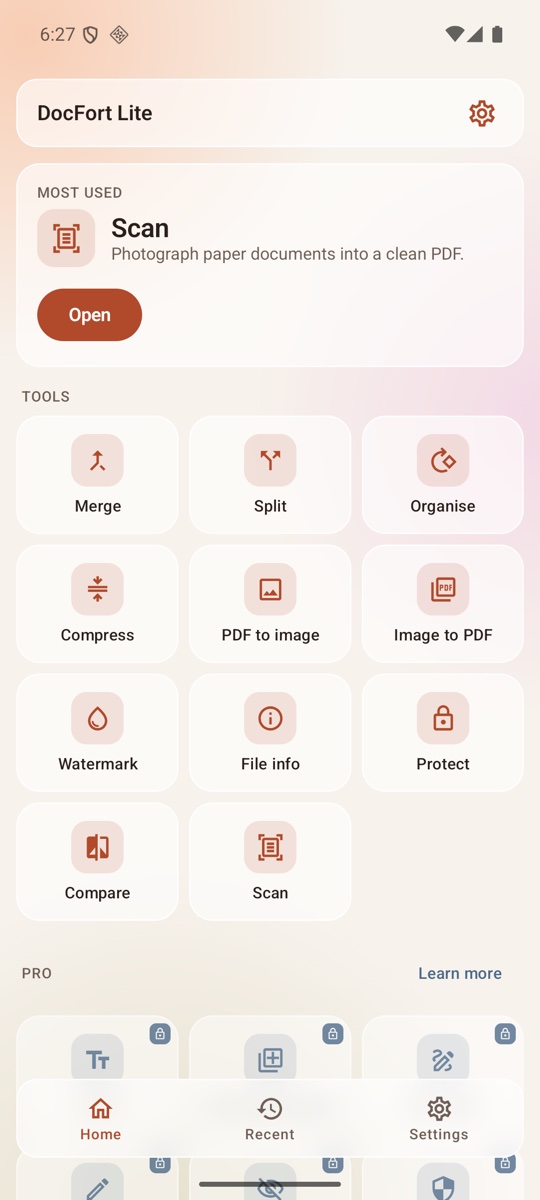
Eleven PDF tools, all offline
Every job finishes on your phone in seconds. No upload, no queue, no waiting for a server.
Merge PDF
Combine several PDFs into one, in the order you choose.
Split PDF
Extract chosen pages, or split a document into several files.
Organise pages
Rotate, reorder and delete pages.
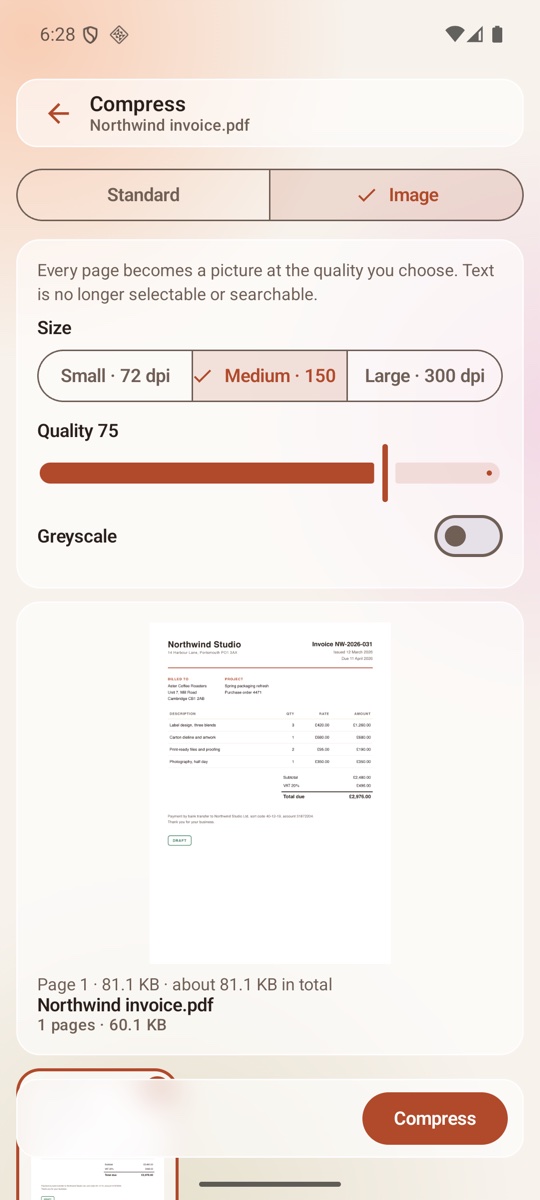
Compress PDF
Shrink a file by downsampling its images, or switch to Image mode and watch the size change in a live preview.
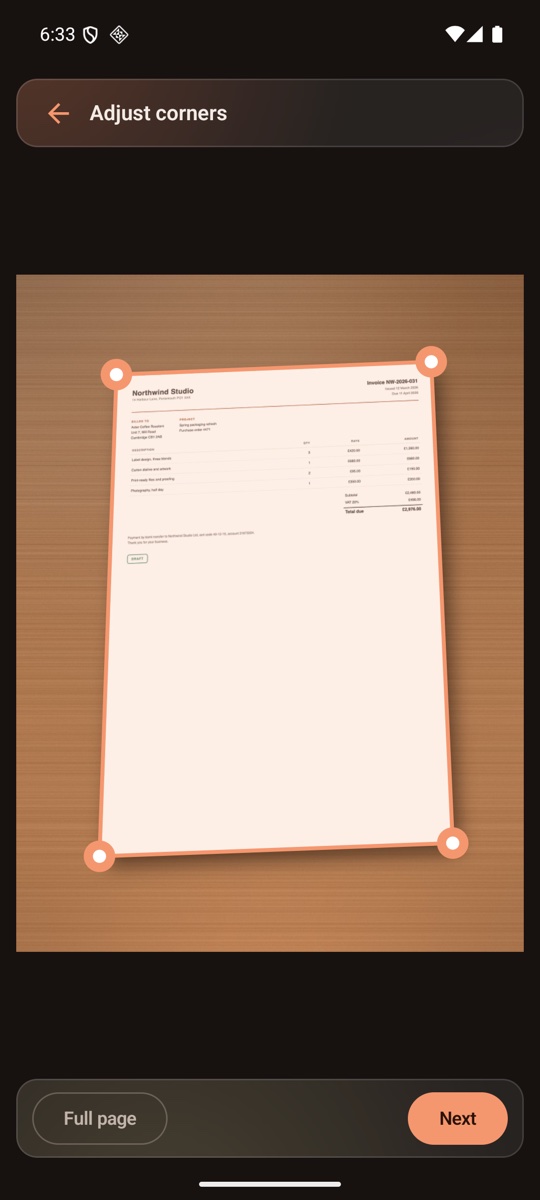
Scan documents
Photograph paper with the camera. On-device edge detection finds the page, then crop, filter and export a clean PDF.
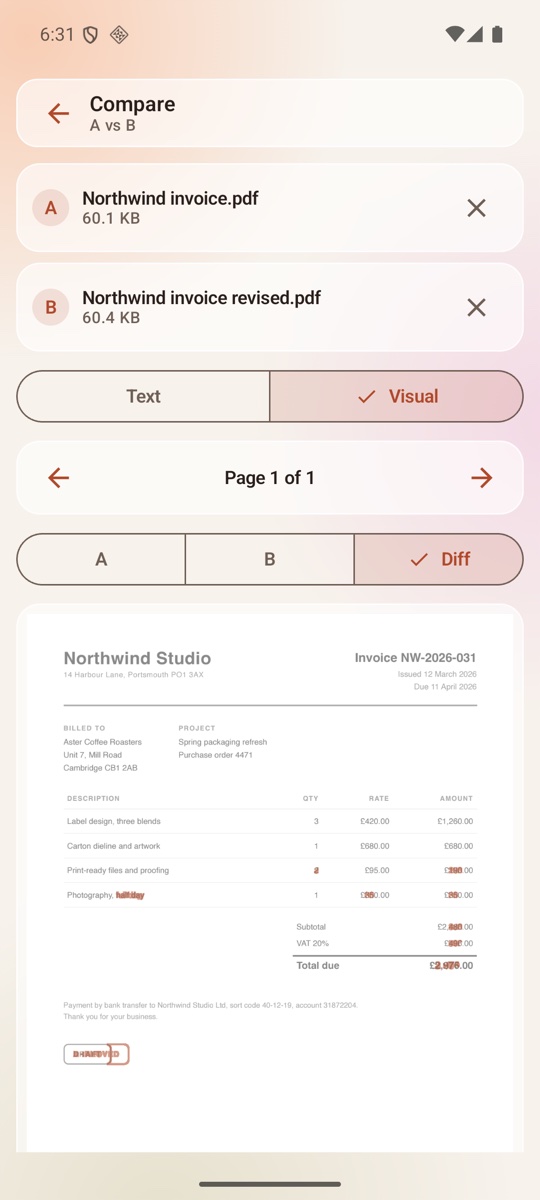
Compare PDFs
See word-by-word text differences and a visual overlay, page by page.
Protect PDF
Lock a file with a password. The password is used once and never stored.
Watermark
Stamp text across every page.
PDF to image
Save pages as JPG or PNG pictures.
Image to PDF
Turn photos and screenshots into a PDF.
File info
Page count, size, metadata and more.
Built on open source
DocFort Lite is built with open-source libraries. Their licences are listed inside the app, and reading them does not go online either.
Private by design
Most PDF apps upload your file to a server to work on it. DocFort Lite cannot. Without the internet permission, Android blocks every byte of network traffic from the app, so there is no server-side copy to lose or leak.
- No internet permission. Check it yourself under Android Settings, Apps, DocFort Lite, Permissions.
- No accounts, no sign-in, no ads, no analytics, no trackers.
- The only permission requested is the camera, used for scanning.
- Recent-files history is optional and is stored on your phone only.
- Clear the cache and history at any time from Settings.
See it work
Real screens from the app, not mock-ups.
Fits into your phone
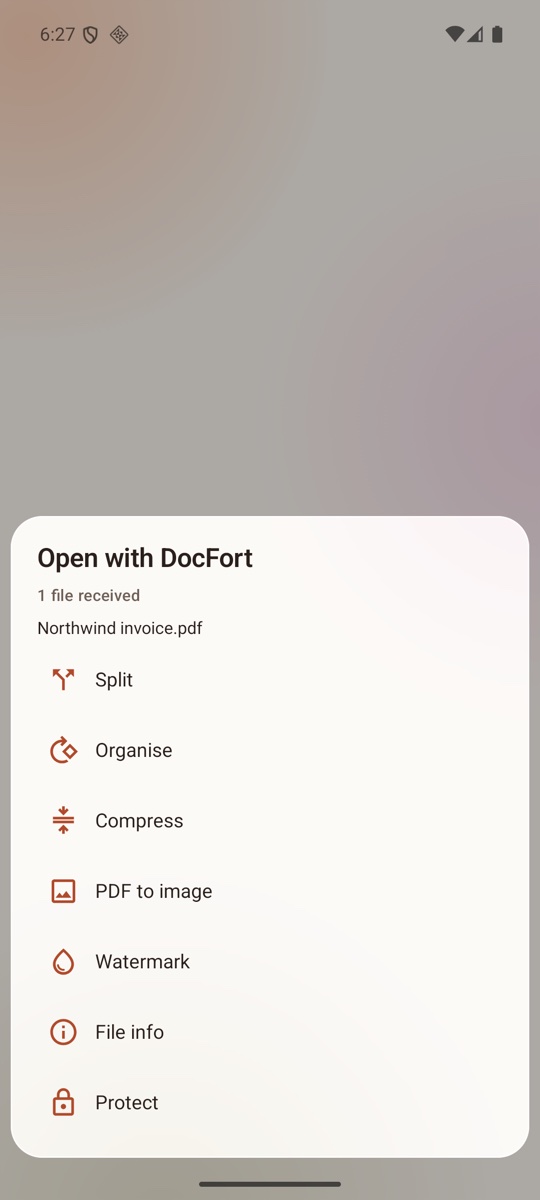
Share sheet
Share a PDF or picture from any app to DocFort Lite and pick a tool. No need to open the app first.
Widget and shortcuts
A home-screen widget and launcher shortcuts for the tools you use most, chosen from your own usage.
Light and dark
Light and dark themes with a frosted-glass look, and a switch to turn the blur off on slower phones.
Made for everyday documents
Lecture notes
Combine a term of handouts into one file.
Invoices
Shrink an invoice before emailing it.
Signed forms
Scan a signed form without uploading it to a server.
Contract versions
Check what changed between two versions.
Frequently Asked Questions
Is DocFort Lite free?
Yes. Every one of the eleven tools is free, with no ads, no account and no in-app purchase needed to use them.
Does DocFort Lite need an internet connection?
No, and it cannot use one. The app does not request the Android internet permission, so the operating system blocks all network traffic from it. Every job runs on your phone.
Which permissions does the app ask for?
Only the camera, and only when you open the Scan tool. It does not ask for storage, contacts, location, microphone or phone access. Files are chosen through the Android file picker or handed over by the share sheet.
Where are my files saved?
Wherever you choose. Each tool writes its result to the location you pick. Temporary copies in the app’s private cache can be removed at any time with Settings, Clear cache.
Does it collect any data about me?
No. There is no analytics, crash reporting or tracking code in the app, and nothing is transmitted. The full privacy policy explains what is stored on your phone and how to clear it.
Which Android version do I need?
Android 12 or later.
Your PDFs, your phone
Install DocFort Lite and finish your next merge, scan or compress without sending a single byte anywhere.
Get it on Google Play